
Product Collection Storepage
A shop of your books that BookFunnel builds and hosts for you. Readers browse everything you sell, put several books in one cart, and pay once.
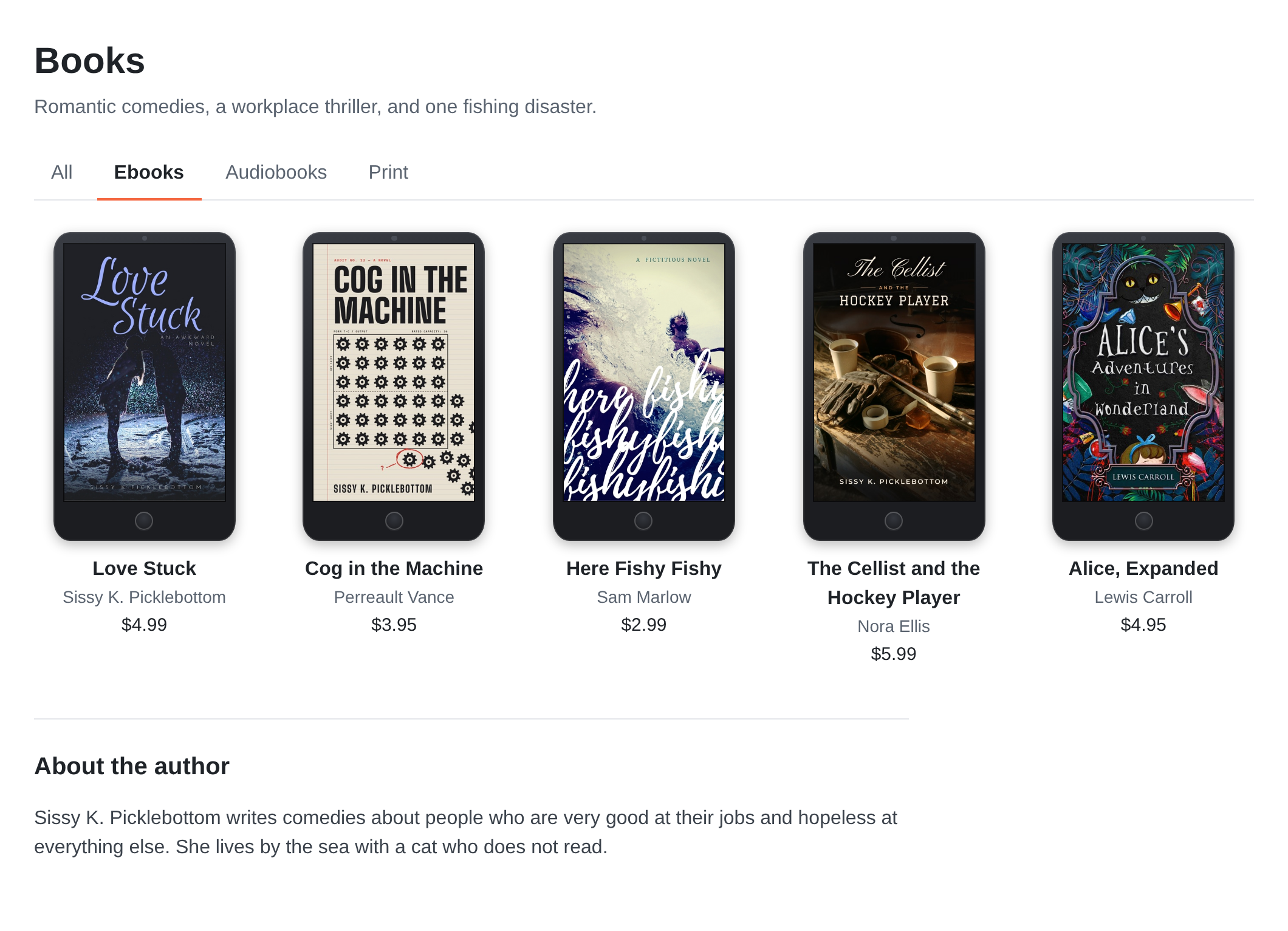
Where it lives
At store.bookfunnel.com/your-name, and at the root of
your own custom domain if you connect one. The name is your pen name's
handle. Like a landing page, it is BookFunnel's own page, so it can sell
your books whatever your Allowed Websites for Sales list
says.
What is on it
- Your logo at the top left, and the cart at the top right.
- A title, then blocks from top to bottom, in the order
you choose:
- a heading, which also becomes a link in the page's top menu,
- a block of your own text,
- a block of products, in the order you set, or one product for the whole block, such as a series bundle at one price,
- your author bio.
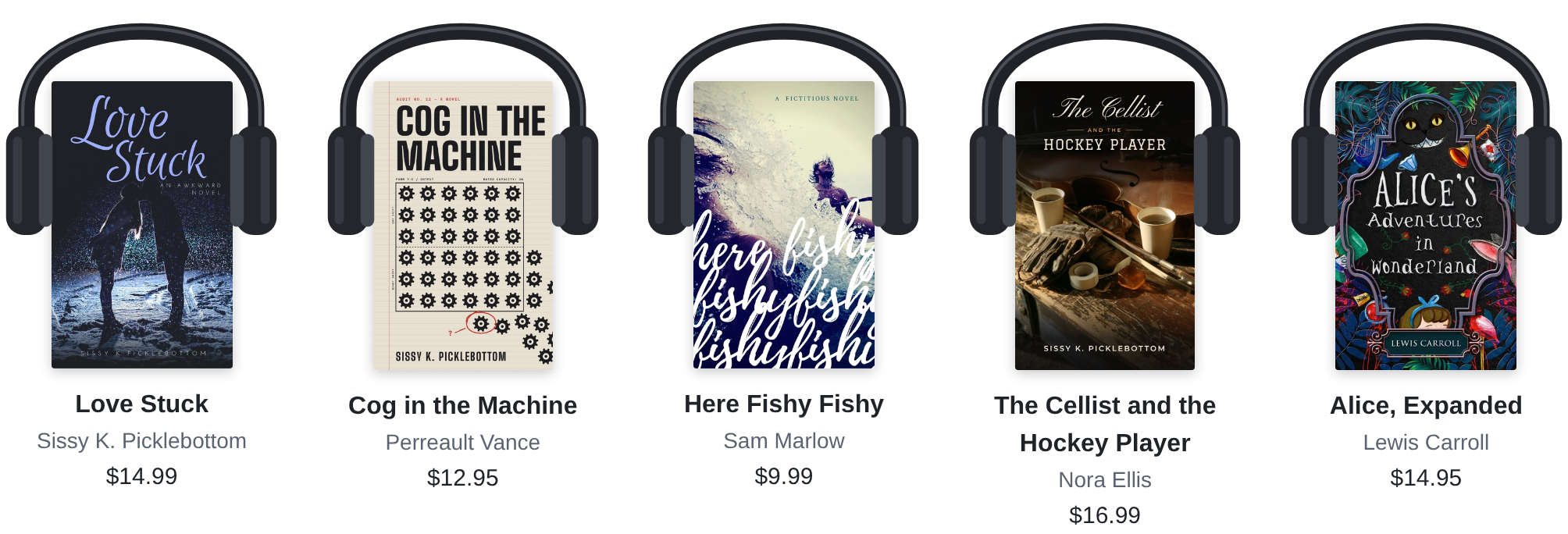
- Format tabs: All, Ebooks, Audiobooks and Print. On a format's tab every book shows that format's price, and its cover is framed to match: on an ebook reader, in headphones, or as a printed book.
Buying from it
A reader clicks a book and it opens in a window over the page: the cover, the description, the formats with their prices, Buy Now and Add to Cart.
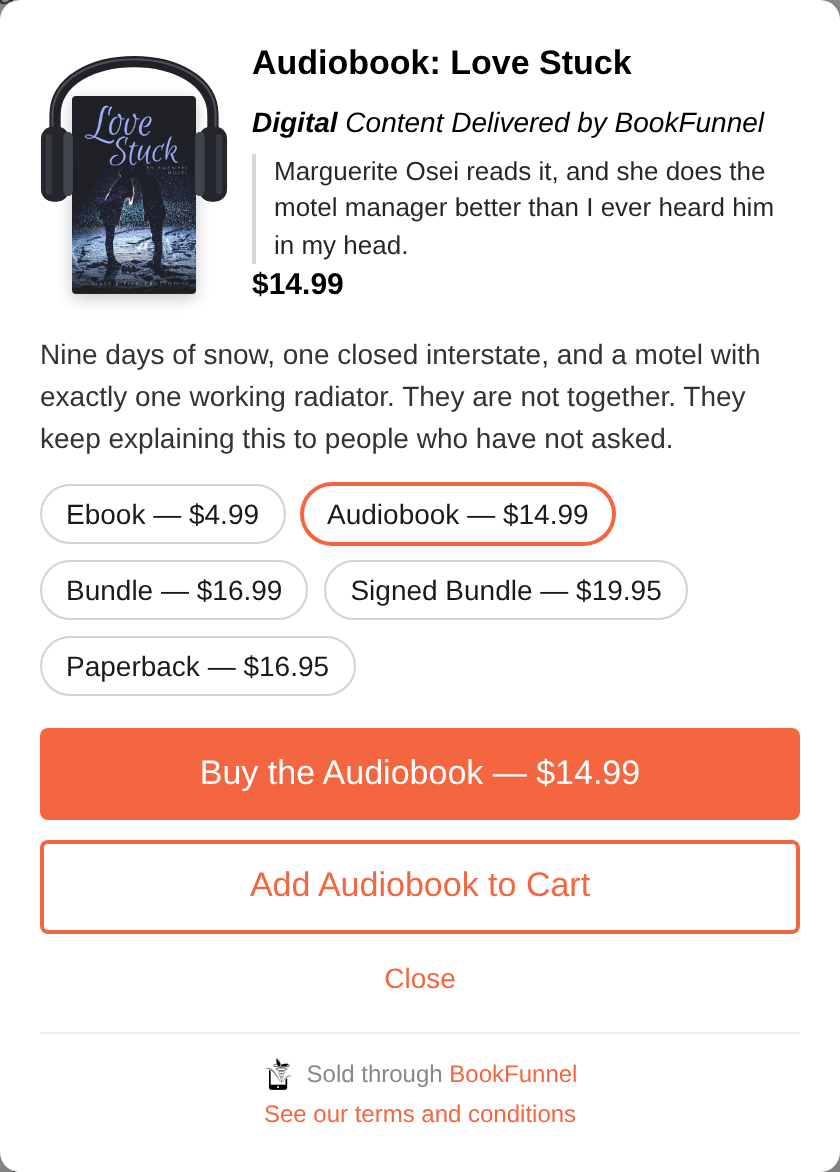
- Add to Cart keeps them on the page, and the count on the cart goes up. They carry on browsing.
- Buy Now goes straight to the checkout with that one book. Once something is in the cart, Buy Now gives way to View Cart, so the reader always sees exactly what they are paying for.
- The cart holds every book they added, in any format, and checks out as one order.
After paying, they come back to the storepage, are thanked, and get the links to their books. Their orders are at https://staswbf.bookfunnel.com/myorders.
Setting it up
When you set up your products with Get Started with Products, tick the box to build a Product Collection Storepage. Your pen name needs a handle first, since the handle is the storepage's address.
The dashboard screens are still being finished. This page will describe arranging the blocks when they are released.